
Give every important asset one record
Start with assets that are expensive, safety-sensitive, difficult to replace or likely to need a service visit: pumps, tanks, water heaters, air-conditioners, backup power, kitchen appliances, solar equipment, doors and windows, waterproofing work, fire-safety equipment and major electrical components. Add room or location so a future technician can find the item without a search through old messages.
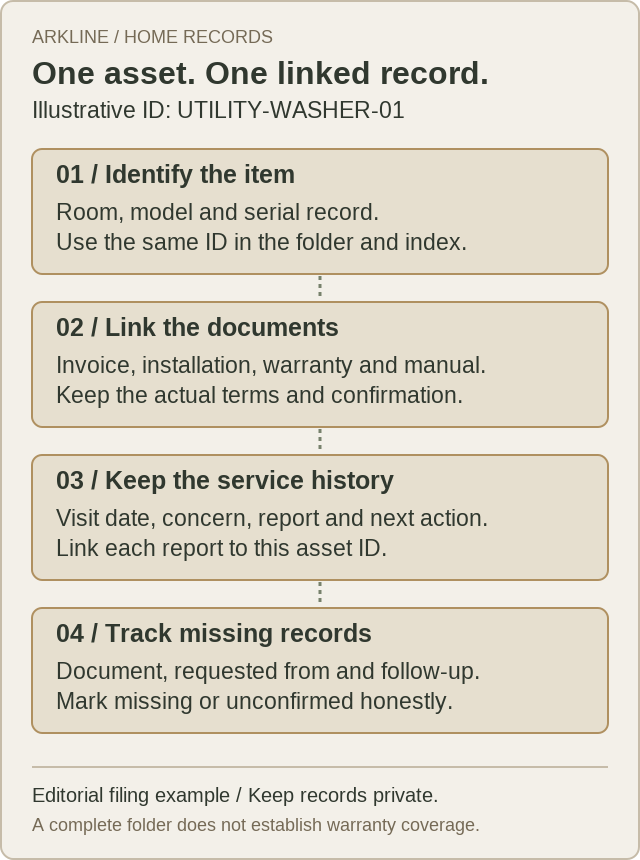
Give the asset a stable ID such as UTILITY-WASHER-01, with its room, item, manufacturer and model recorded in the index. Use that ID on its folder and related filenames. Capture the exact model and serial information from the invoice or a safely accessible product label. Ask the installer or service provider if the label needs equipment moved or a cover opened; do not dismantle anything to collect a number. Do not infer an identification number from a similar product. If installation date, installer or warranty status is unknown, write “unknown” and add a follow-up task.
Collect documents that answer real service questions
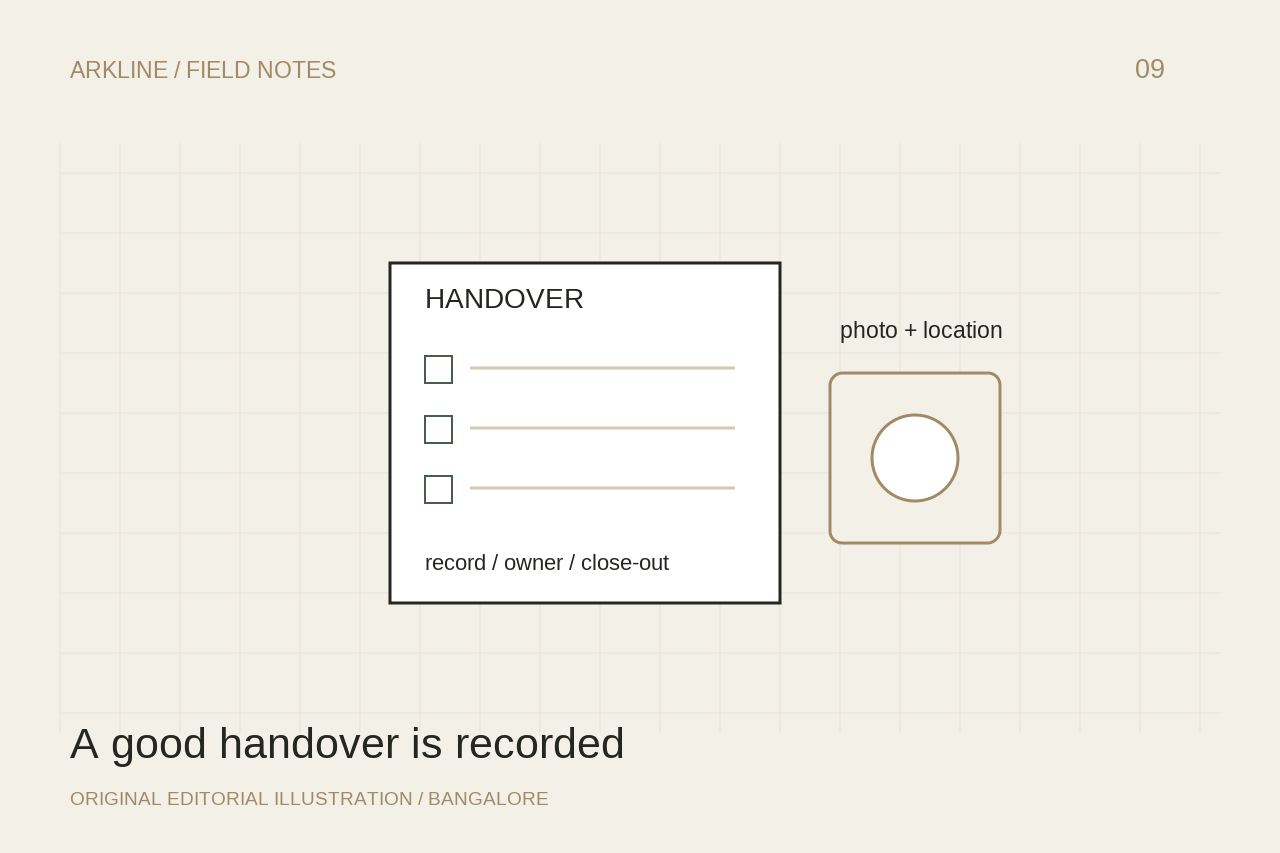
Keep the product manual, installation or handover note, purchase invoice, warranty certificate or registration confirmation, service contact, approved quotation, service report and parts information together. A single digital folder is convenient, but use filenames that remain understandable outside your phone: UTILITY-WASHER-01_invoice_2026-11-23.pdf (an illustrative filename) is easier to search than IMG_3811.pdf.
Requirements are manufacturer-specific. Bosch’s India service guidance, for example, asks customers to have the appliance invoice and purchase date available for warranty validation and identifies appliances through fields such as E-Nr., FD and Z-Nr. Bosch’s warranty-registration page also describes registering an appliance with its identification details and purchase date, then downloading the warranty certificate. Treat these as Bosch examples, not universal rules for every brand.
| Record field | What to store or ask |
|---|---|
| Identity | Asset name, room, make, model, serial or product number and a clear label photo |
| Purchase and installation | Invoice, purchase date, installer, handover note and any approved scope |
| Coverage | Warranty document, registration confirmation, exclusions and service route as stated by the manufacturer |
| History | Visit date, reported issue, work completed, parts or settings recorded by the provider and attached report |
| Next action | Owner, due date, open question and link to the manual or service note that prompted it |
Keep a backup in a private location. Redact bank details and unrelated identity documents before sharing a service packet. Do not upload personal records to a public folder or send an entire home archive when one invoice and model page will answer the question.
Turn service visits into a useful history
After each visit, record what was reported, what the technician inspected, what was changed and what remains unresolved. Save the provider’s report rather than relying on a chat message. If a part was replaced, note the part description and any reference shown on the invoice or report. Keep a separate status for requested, scheduled, completed and follow-up needed.
Illustrative record
- Asset: UTILITY-WASHER-01, utility-room washing machine; model copied from its safely accessible label.
- Issue: an intermittent start problem, described in a dated service request without guessing the cause.
- Documents: purchase invoice, installation note, manual and provider visit report.
- Outcome: provider recorded the inspection and recommended a follow-up; no conclusion added by the homeowner beyond that report.
- Next action: owner to confirm appointment, attach resulting report and update status after the visit.
This format keeps observation separate from diagnosis. Do not turn a maintenance file into a DIY repair guide or a self-made safety certificate. For electrical, structural, gas, pressure, roof-access or other specialist concerns, follow the manufacturer’s instructions and use an appropriately qualified provider.
Review the file when the home changes
Review records after renovation, replacement, a change in service provider, a warranty registration or a recurring fault. Retire reminders for removed equipment. Keep the final drawing, approved change note or handover document that explains a new route or location, and clearly identify the current version. Archive older revisions as superseded so they remain available without being mistaken for current instructions.
Use one index at the front: asset, location, record owner, last update, open action and folder path. A printed index helps when internet access is unavailable; a digital copy makes search and sharing easier. Give household members a simple explanation of where emergency contacts and manuals live without sharing account passwords.
If a purchase or service dispute develops, preserve the invoice, correspondence, reports and photographs in date order. The National Consumer Helpline’s official Consumer App describes uploading documents for an existing grievance; that is a reminder to keep readable supporting records available, not a promise of an outcome. Get project-specific advice for any legal or financial issue.
Take this to your next meeting
Your site checklist
- Create one private record for each major asset, with room, make, model and identification details.
- Scan manuals, invoices, warranty documents, registration confirmations and service reports with searchable filenames.
- Mark missing information as unknown and assign a follow-up instead of guessing dates or coverage.
- Record service requests, provider findings, parts or work noted, status and next action in date order.
- Keep observation, manufacturer guidance and professional diagnosis as separate entries.
- Review the index after replacement, renovation, warranty registration or a recurring fault; remove obsolete reminders.
Common questions
Do I need every invoice to make a useful home file?
Keep invoices for significant assets and work where available, but start with what you have. Record the asset identity, location and missing document as an open task. Do not invent a purchase date or assume coverage from an old message.
Should I store warranty terms in one general folder?
Use one index, then keep each asset’s manual, warranty record, invoice and service history together. Warranty and service requirements vary by manufacturer, so preserve the exact document and its source rather than copying a generic duration into your index.
What should a service note contain?
Record date, asset identity, reported issue, provider, inspection or work described, parts or readings listed in the report, status and next action. Keep the provider’s wording separate from your own observations, and ask a qualified professional when the issue involves specialist safety or diagnosis.
Reading notes
Sources & further reading
Checked on the dates below. Official requirements and documents can change; confirm the version that applies to your site.
- Bosch Home India: Repair services and information needed for warranty claims Accessed 23 November 2026
- Bosch Home India: Register an appliance and download its warranty certificate Accessed 23 November 2026
- National Consumer Helpline: Consumer App document-upload feature Accessed 23 November 2026